Making product uploads faster and more accurate for jewelry sellers

50%
Less time to upload
40%
Increase in seller satisfaction
85%
Reduction in upload errors
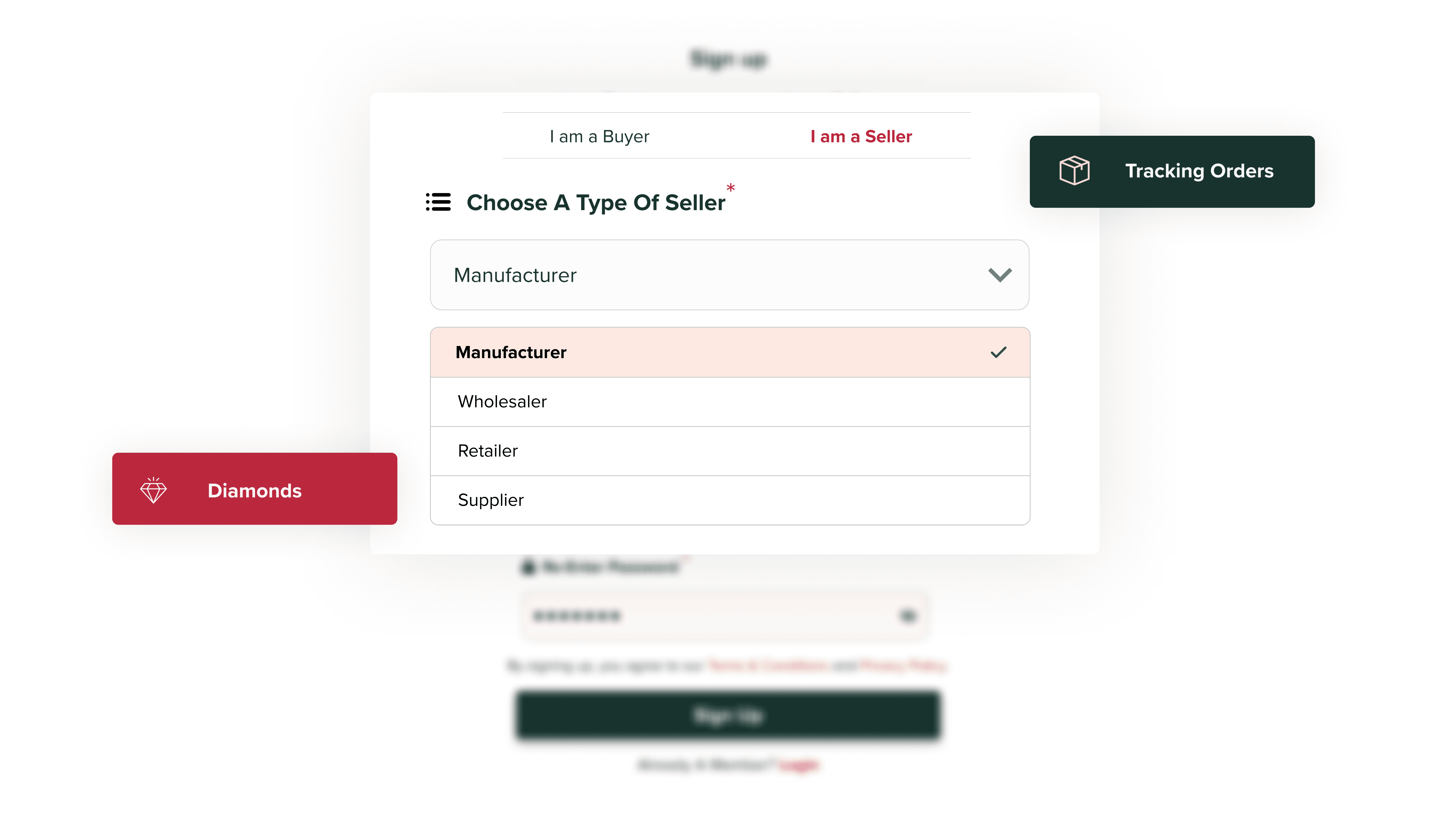
SETTING THE CONTEXT
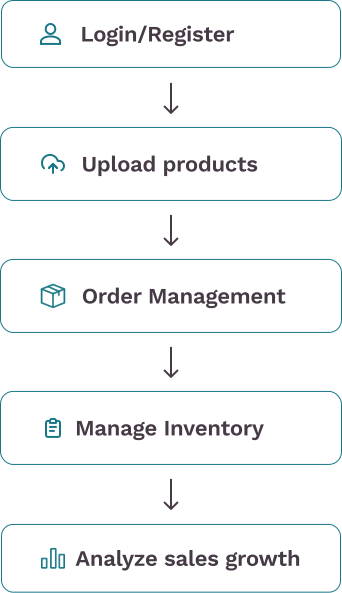
For an online jewelry seller, the typical journey starts with:
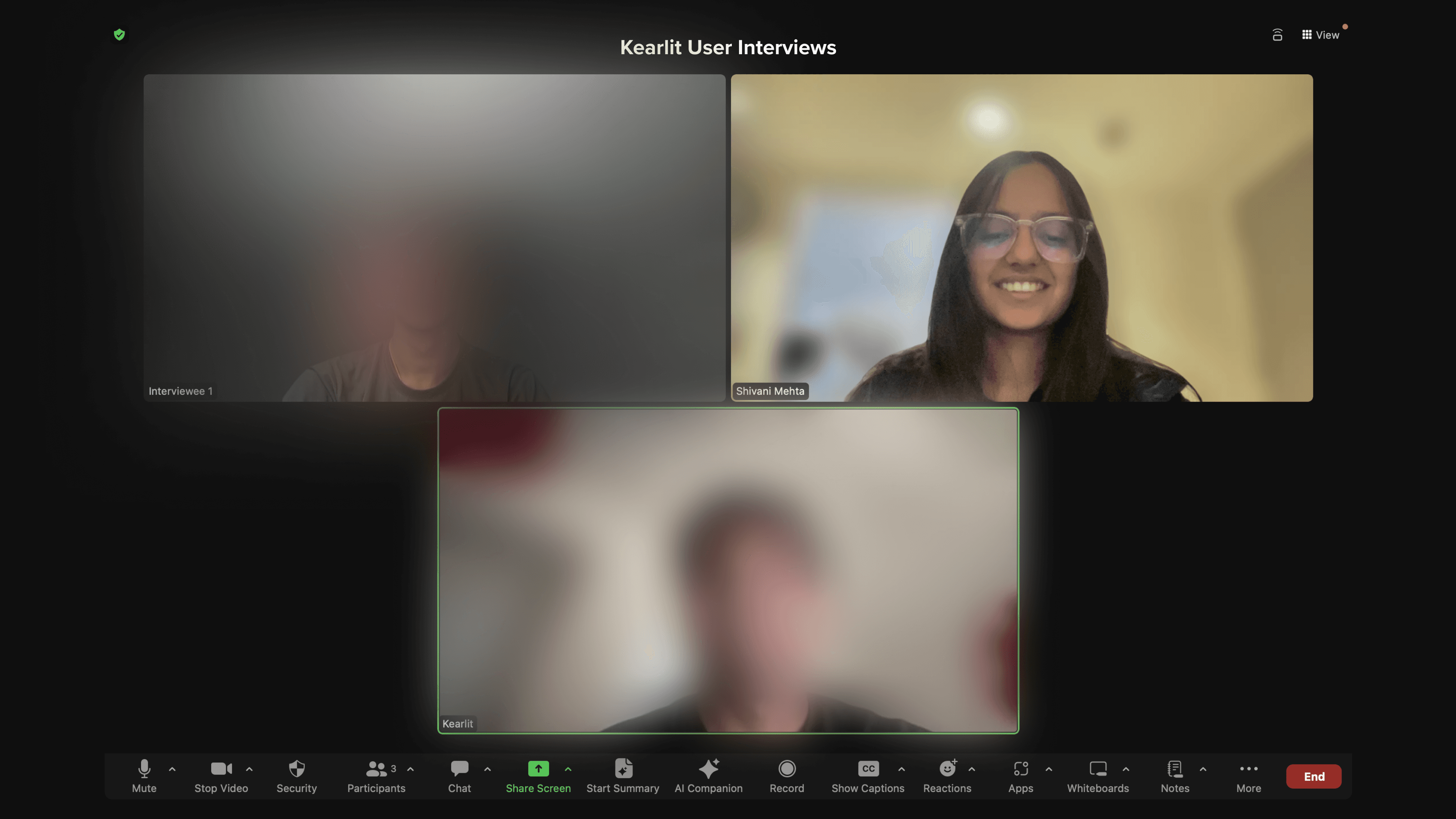
USER RESEARCH
Interviews revealed that in the current market jewelry sellers were spending hours on manual uploads and error checking
Fewer Uploads
Online uploads are tedious and time-consuming resulting in delays and errors, impacting the efficiency of their uploading process
Manual Checking Errors
Reliance on manual checking for mismatch entries during bulk uploads can be time-consuming and prone to errors
Inventory Inaccuracy
Keeping track of inventory updates manually resulted in inaccurate stock levels, making it hard to know the actual available stock at any given time
OVERARCHING GOAL
How might we create a platform for sellers to effectively upload their products in less time, and avoid manual mismatch checks, thereby boosting sales and operational efficiency?
SOLUTIONS
Goal 1: Reduce upload time and errors for single uploads
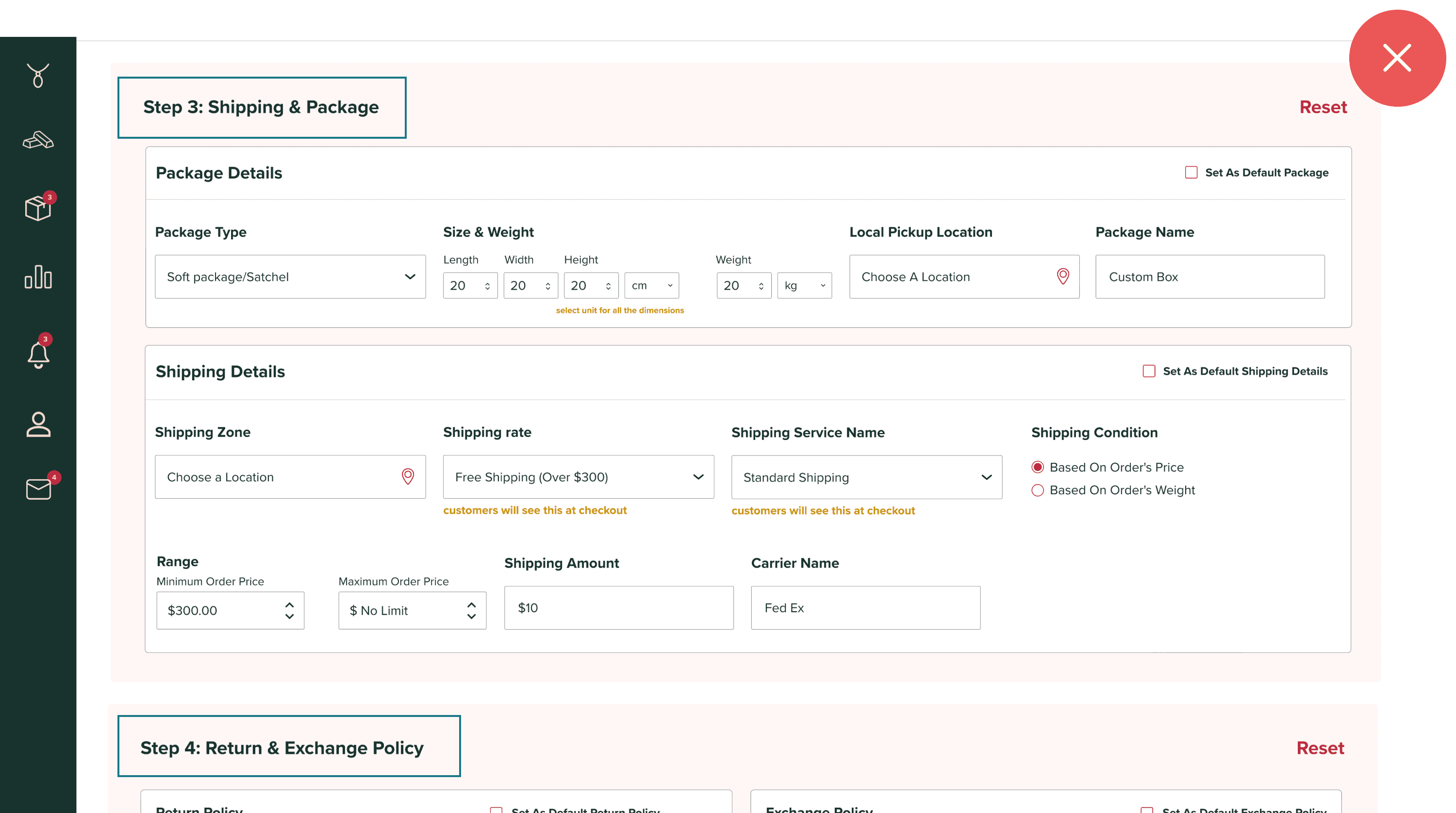
DIRECTION 1
Scrollable Form
Reduce errors by breaking down of steps
No Progress Indication
Overwhelming for Users
DIRECTION 2
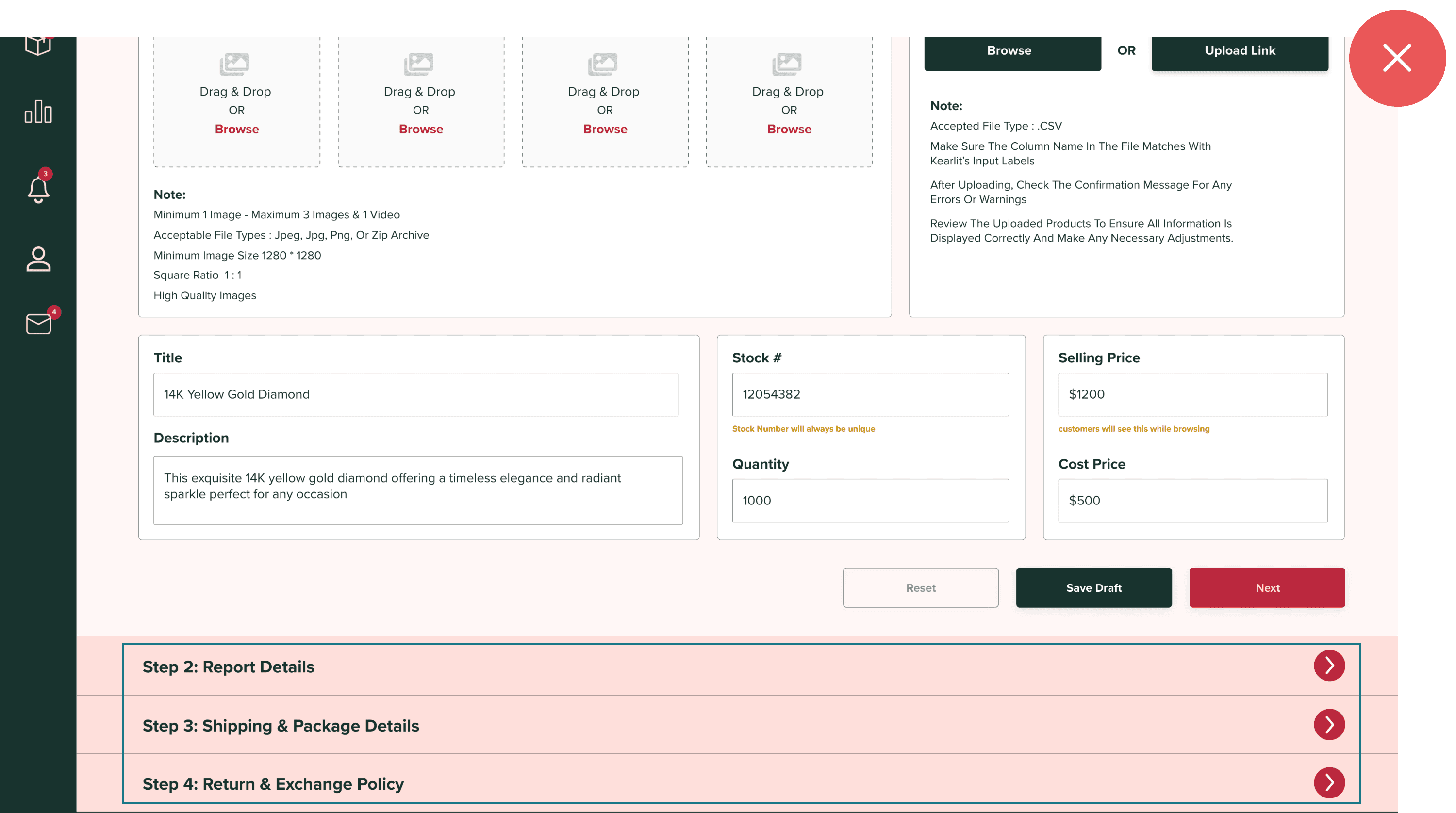
Expanding Accordions
Divided content into collapsible sections for a less overwhelming experience.
Improved focus on individual sections, reducing errors.
Risk of overlooking unexpanded sections, causing incomplete submissions.
Constant opening and closing of sections can be cumbersome.
DIRECTION 3
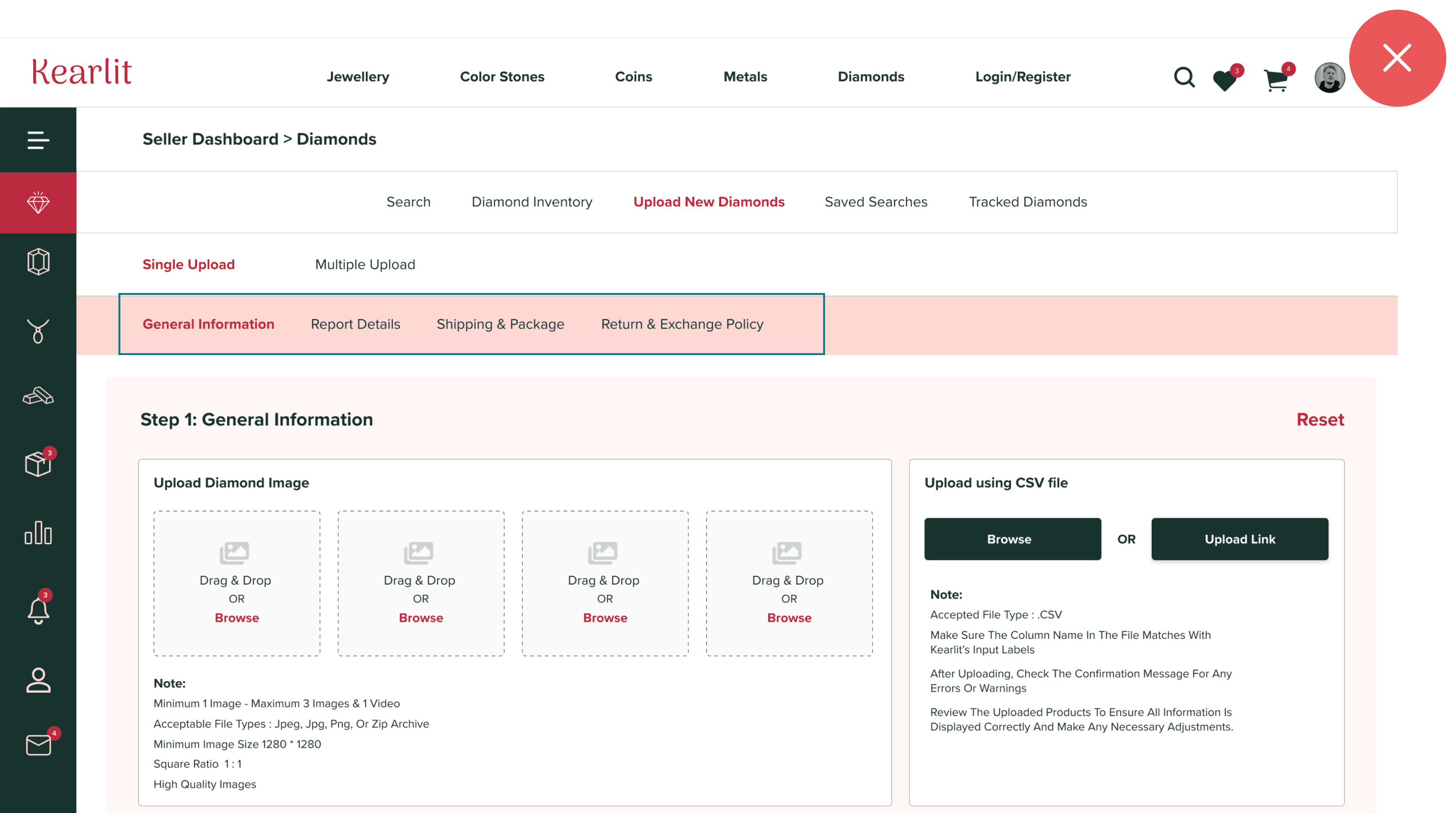
Navigating through tabs
Tabs provided a clearer division of steps, improving navigation.
Users could focus on one tab at a time, reducing errors.
Tabs lacked inherent progress indicators.
Multiple tabs caused confusion and potential accidental slips.
FINAL DECISION
Progress Stepper
The progress stepper clearly indicates completed and remaining steps.
Breaking down the process reduces cognitive load and errors.
Guides users through a logical sequence, ensuring all necessary information is entered.
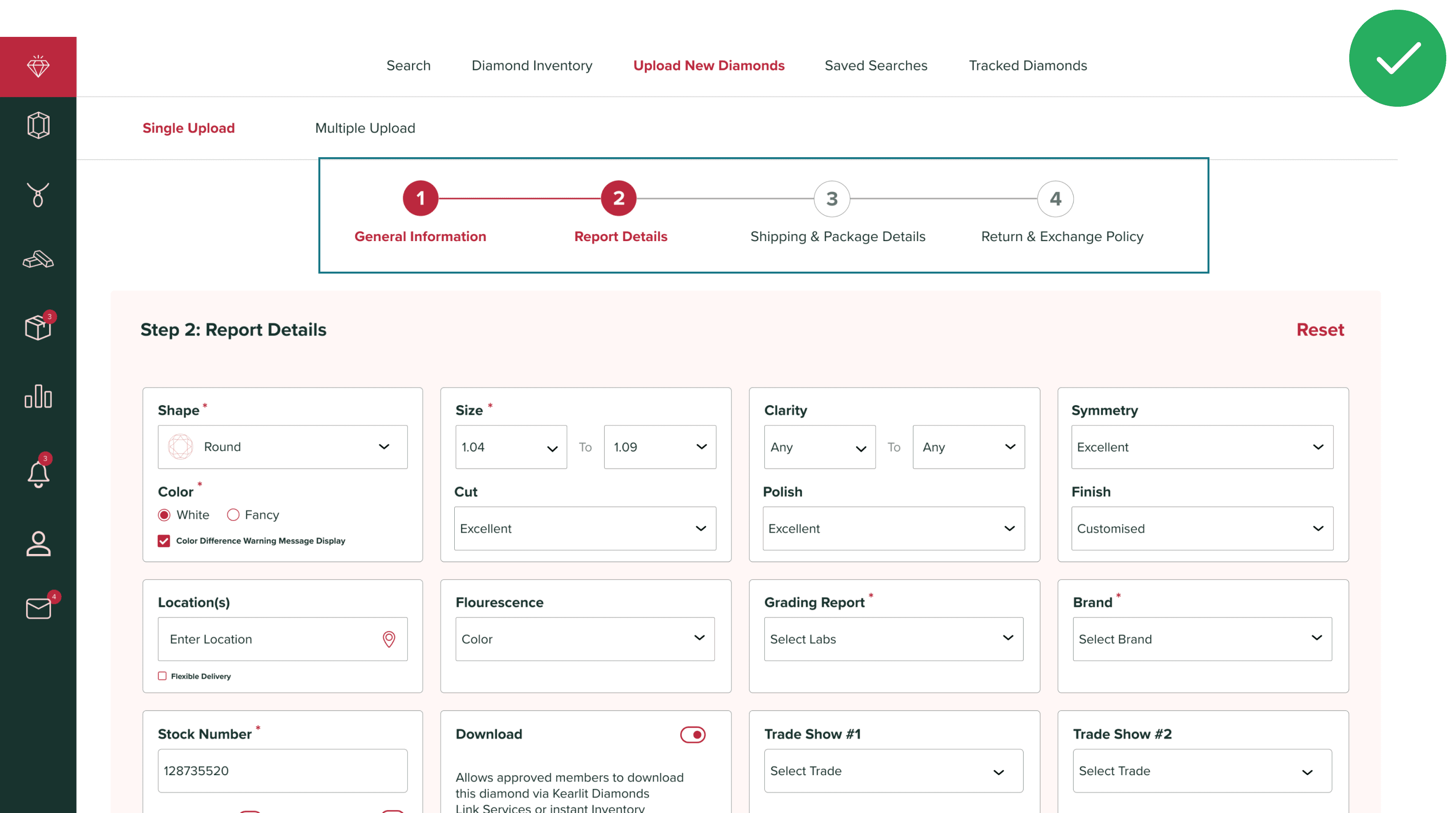
Our user testing results proved that new sellers required
50% less time to upload products, thanks to our intuitive and straightforward stepper interface
SOLUTIONS
Goal 2: Reduce manual mismatch check for multiple uploads
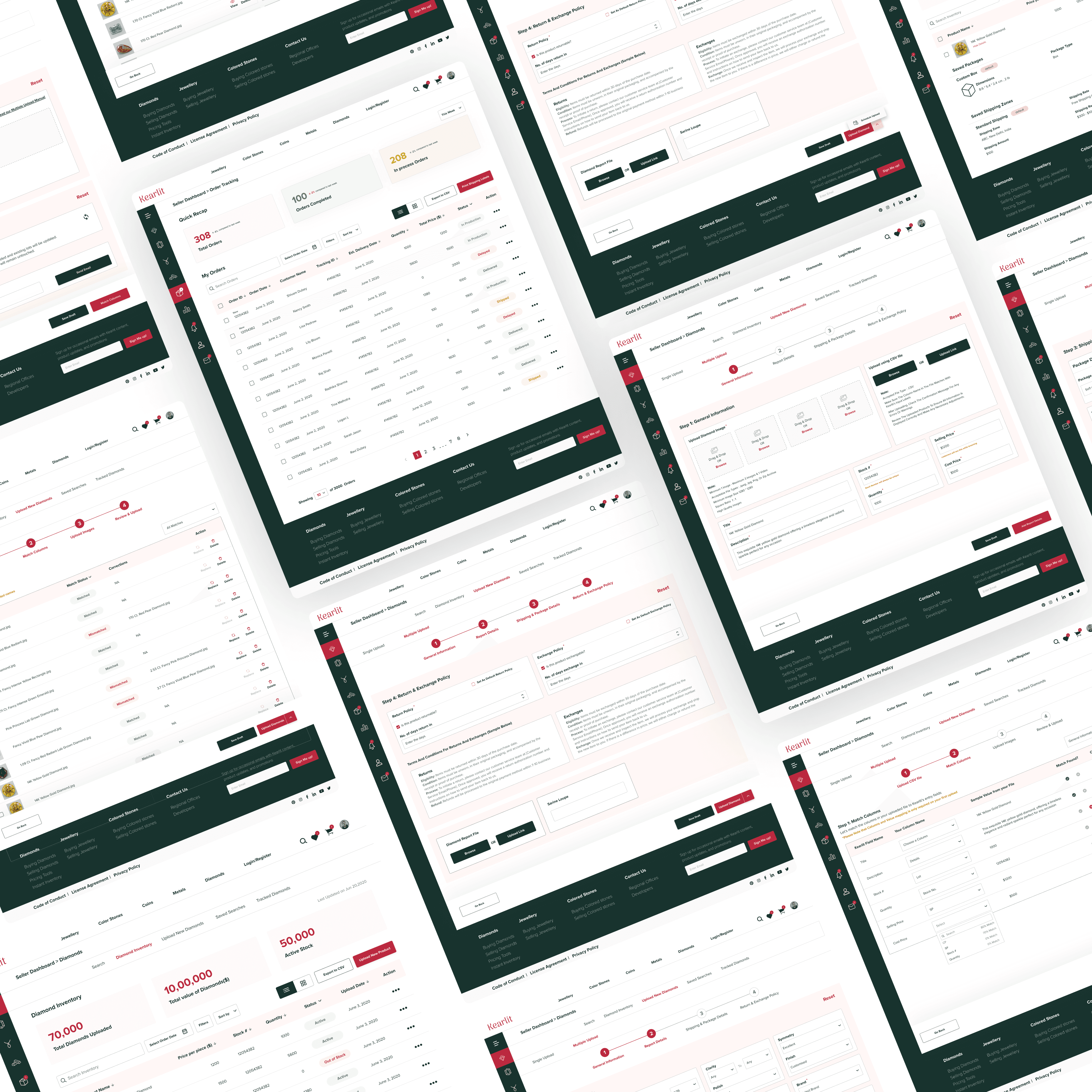
Interviewees found the manual process of uploading and reviewing product details tedious and error-prone. Competitive analysis helped me redesign it into four streamlined steps for efficiency.
STEP 1
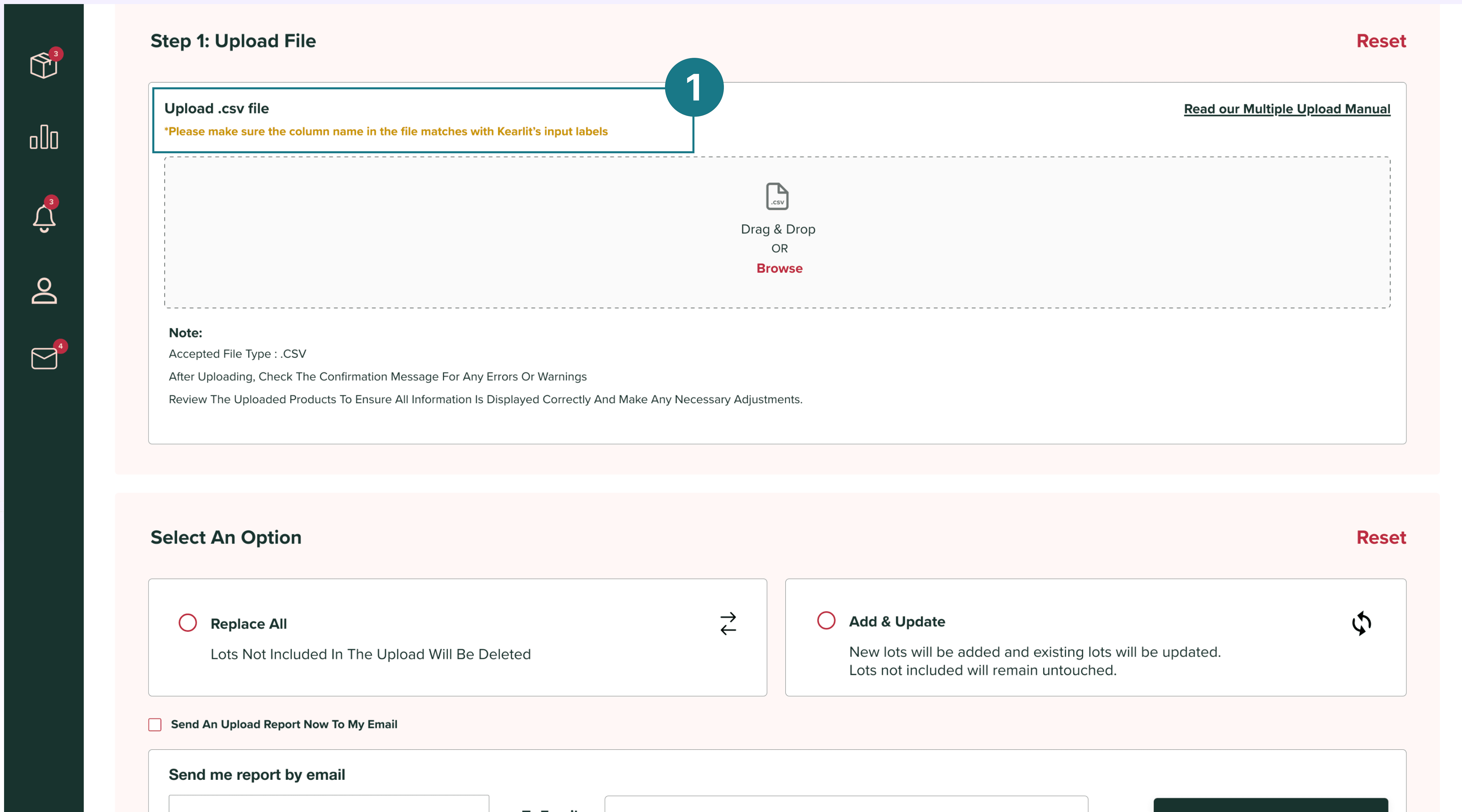
Bulk .csv Upload

Sellers begin by uploading their .csv files containing all product details.
STEP 2
Column Matching & Validation
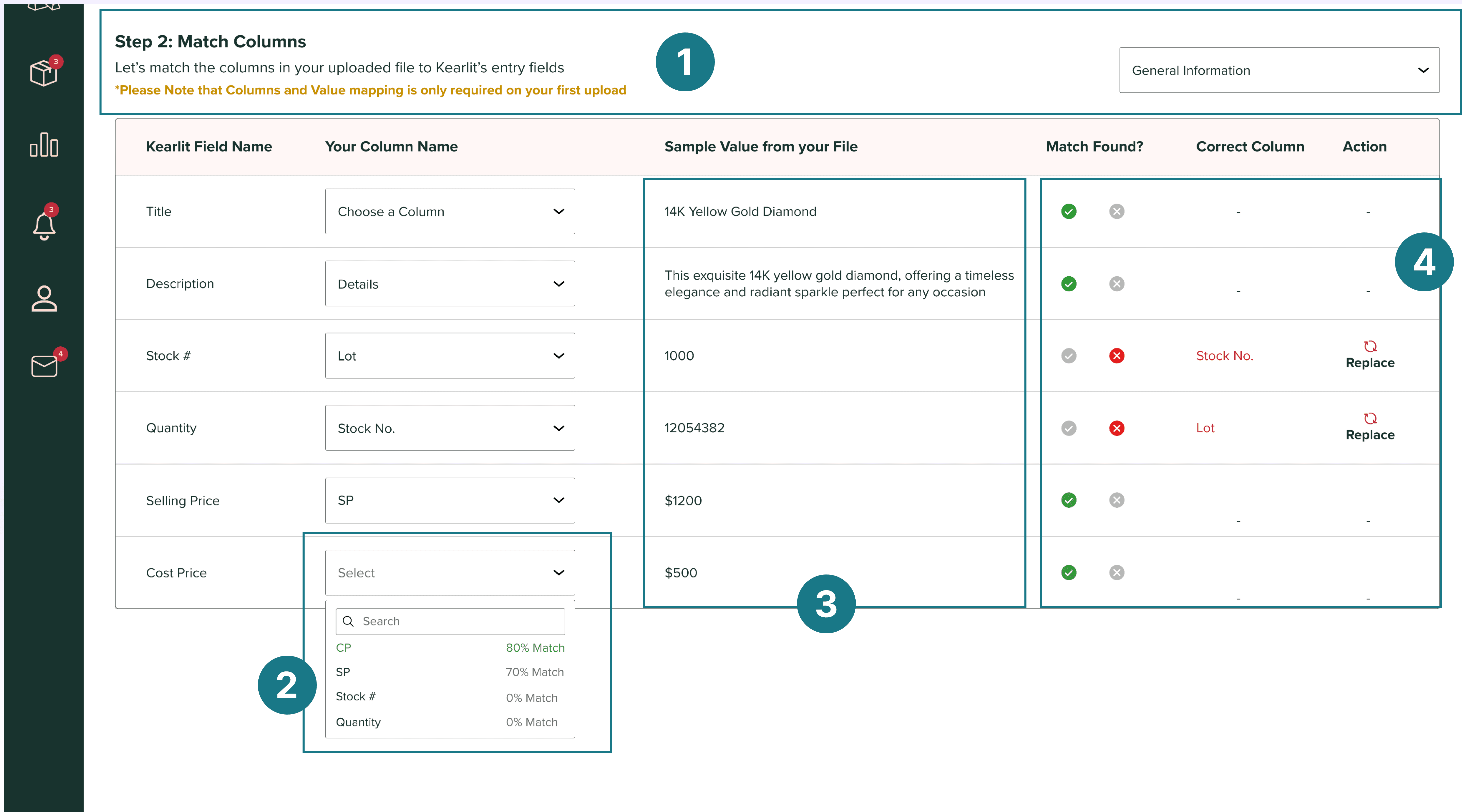
To ensure the system reads the data correctly, the seller needs to match their columns with Kearlit's field names. This step is required only for the first upload, and the system remembers these settings for future uploads

This is done via a dropdown menu that shows a match percentage next to each option, helping them make quicker selections

After selecting column names, the system generates a sample value from the .csv file

A "tick" indicates a match; a "cross" shows a mismatch. Unmatched columns are corrected with a replace option
STEP 3
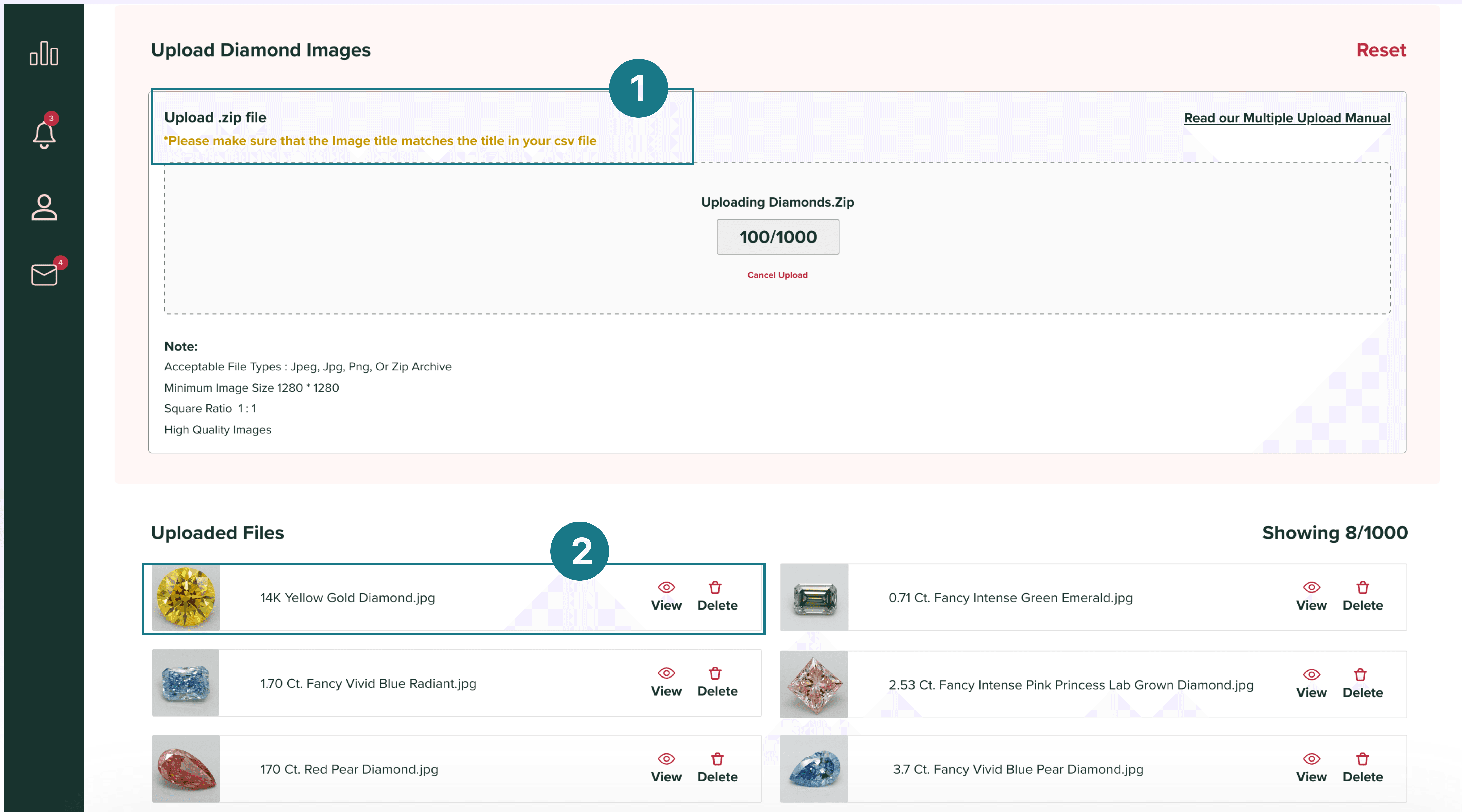
Image Upload
Next, sellers upload product images, with the system checking if the image titles match the corresponding .csv titles
The preview of the uploaded files is visible for the user's reference with options to view or delete the file.
STEP 4
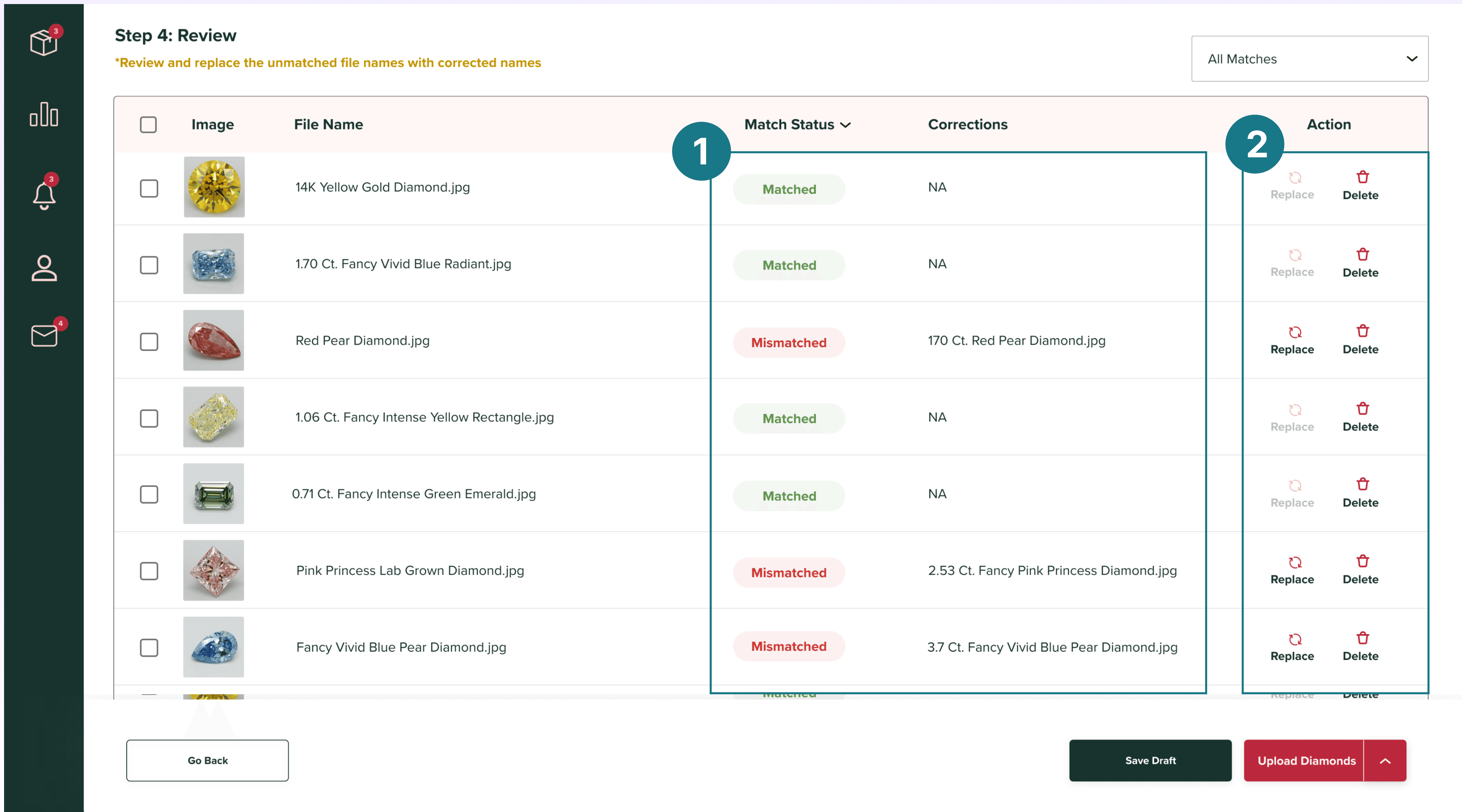
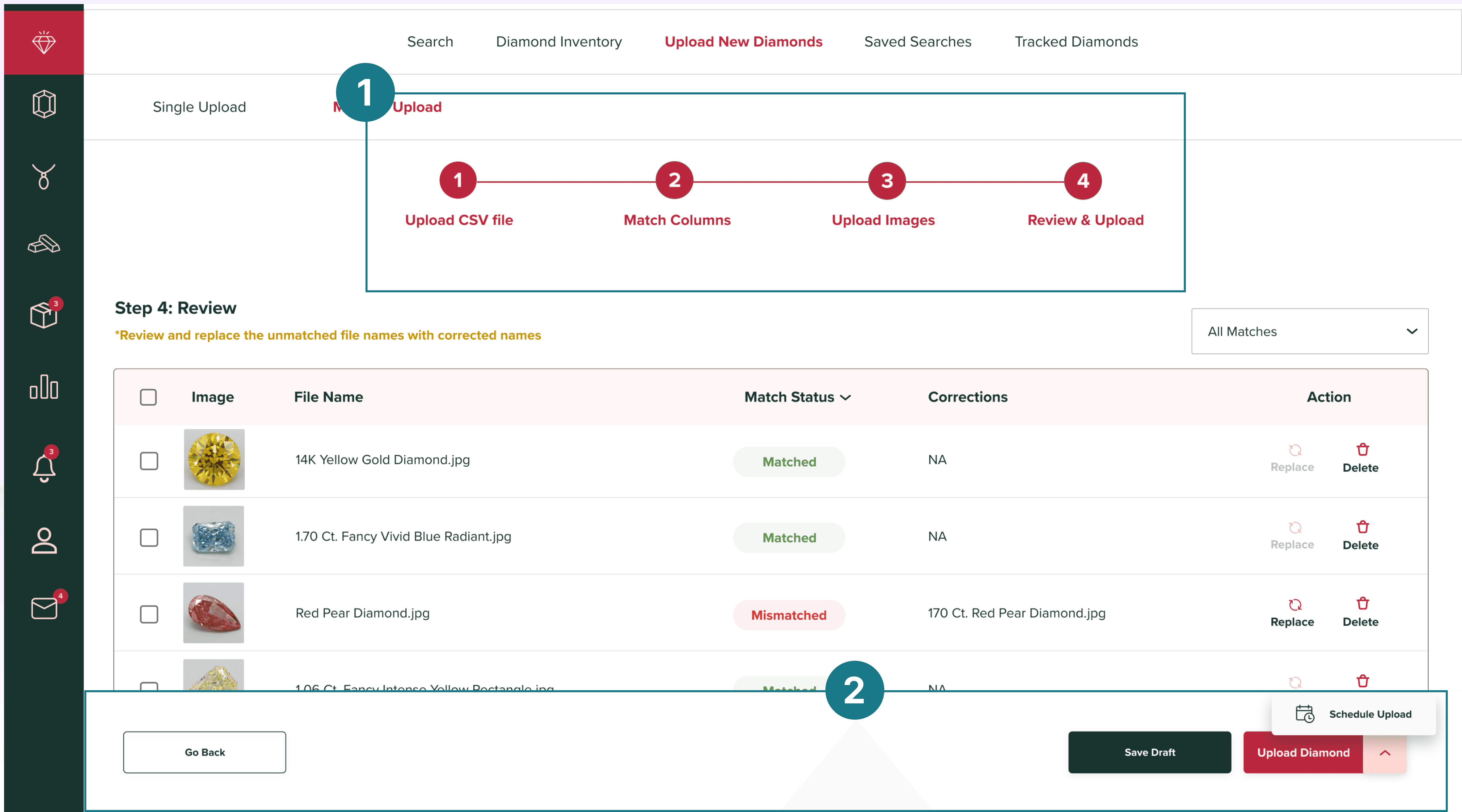
Image Verification
The system flags titles as "Matched" or "Mismatched" and suggests the correct title name
It provides an option to replace incorrect titles or delete any image altogether
FINAL STEP
Track Progress & Schedule Listings
A progress stepper, allows sellers to track their upload process, go back and review entries, and save listings as drafts to complete later.
They can also schedule their listing, with a design inspired by Gmail's scheduling feature.
Automating multiple product uploads ensured seamless accuracy, eliminating mismatches by 30%, and creating a smooth seller experience.
"Less Manual More Auto" - Anonymous User
IMPACT
As an early-career freelance project, delivered measurable impact while learning to navigate ambiguous briefs, stakeholder management, and compressed timelines.
50%
Less time to upload
40%
Increase in seller satisfaction
85%