95%
task completion rate in user testing
5/5
Felt confident the system will keep them informed about the process
100%
of multilingual users successfully changed language at onboarding
CONTEXT
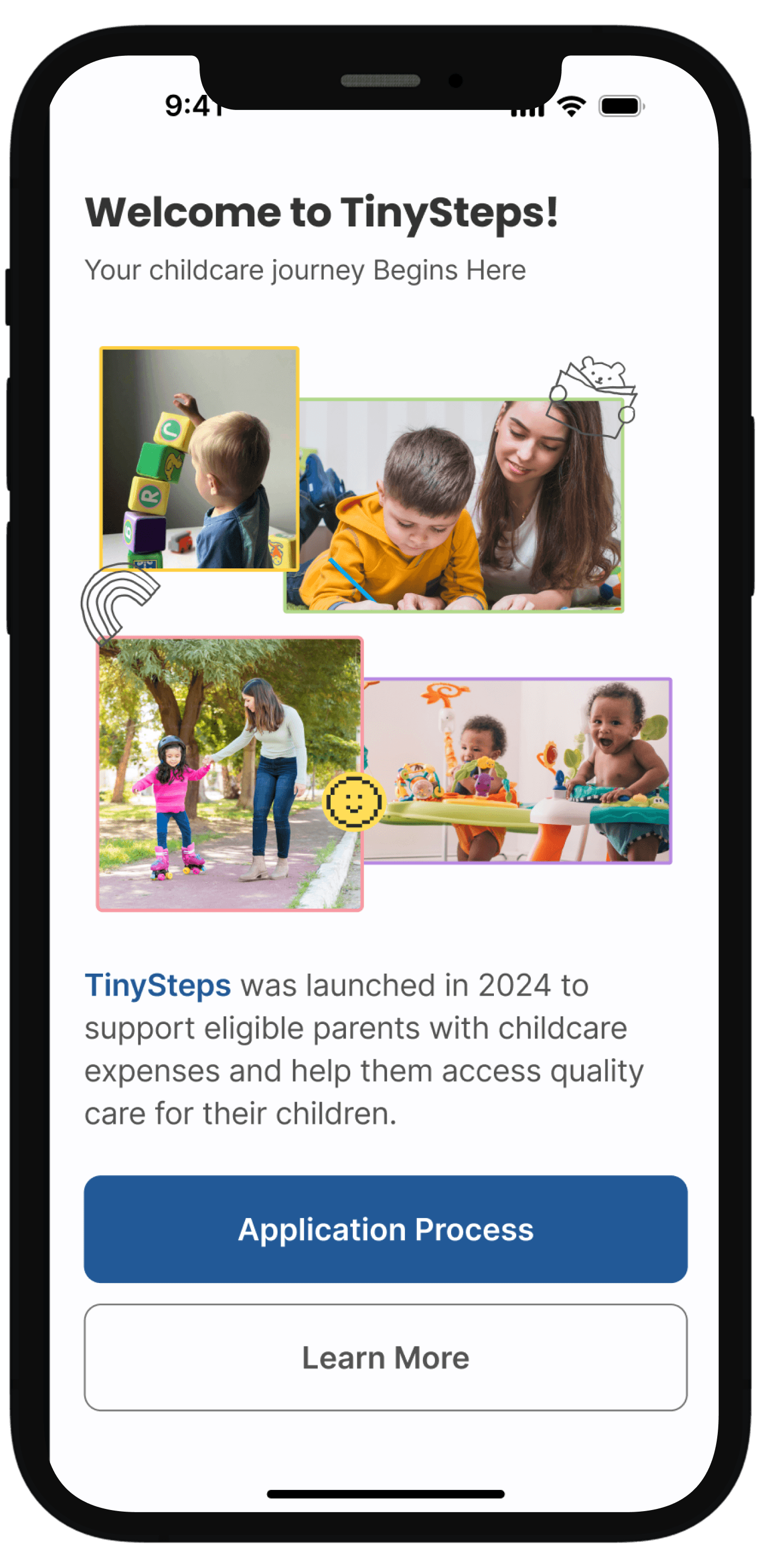
I worked with a civic tech consultant to design an experience for childcare assistance program to make government services accessible and transparent for families navigating complex eligibility requirements.
DURATION
2 Weeks
MY ROLE
Lead product designer
Matthew Malia - Product Manager
RESEARCH
Collaborated with the client to understand the program requirements, then conducted secondary research on government assistance UX patterns to identify common pain points parents face when applying for benefits.
Language barriers
Assistance programs often lack early language selection
Lack of transparency
Parents don't know application status or what happens next
Confusing questions
Eligibility questions lack context about why information is needed
OPPORTUNITY
How might we give parents more authority and feedback regarding their application in their preferred language
GOAL 1
Parents would like the ability to change the language the application is in.
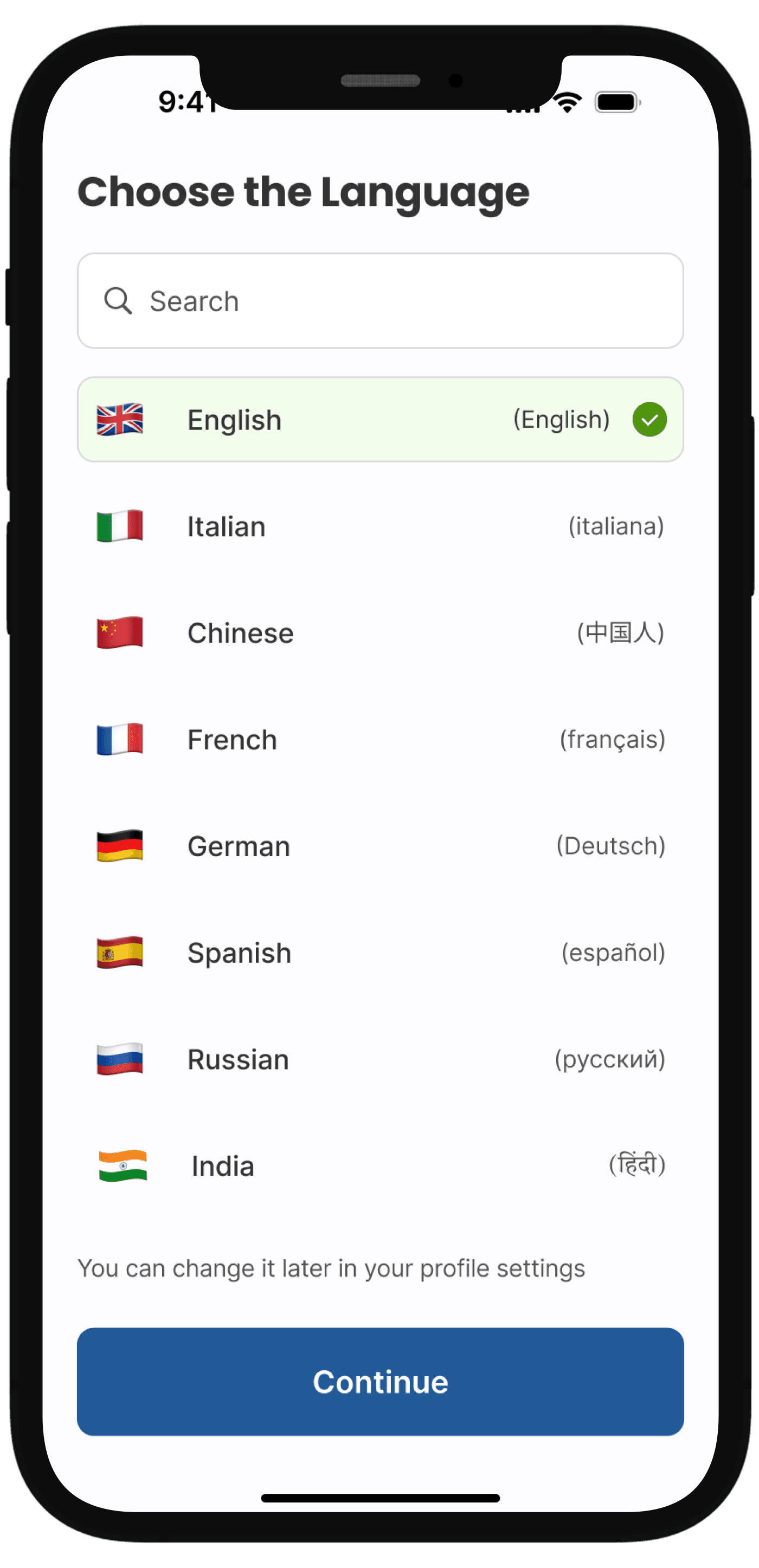
Placed language selection on the first screen parents see, with clear labels in both English and native script.
Removes language as a barrier before parents invest time in the application
Signals inclusivity immediately — "this service is for you"
Allows parents to change language anytime from their profile settings
GOAL 2
Parents don't understand why they are being asked certain questions throughout the eligibility questionnaire and application.
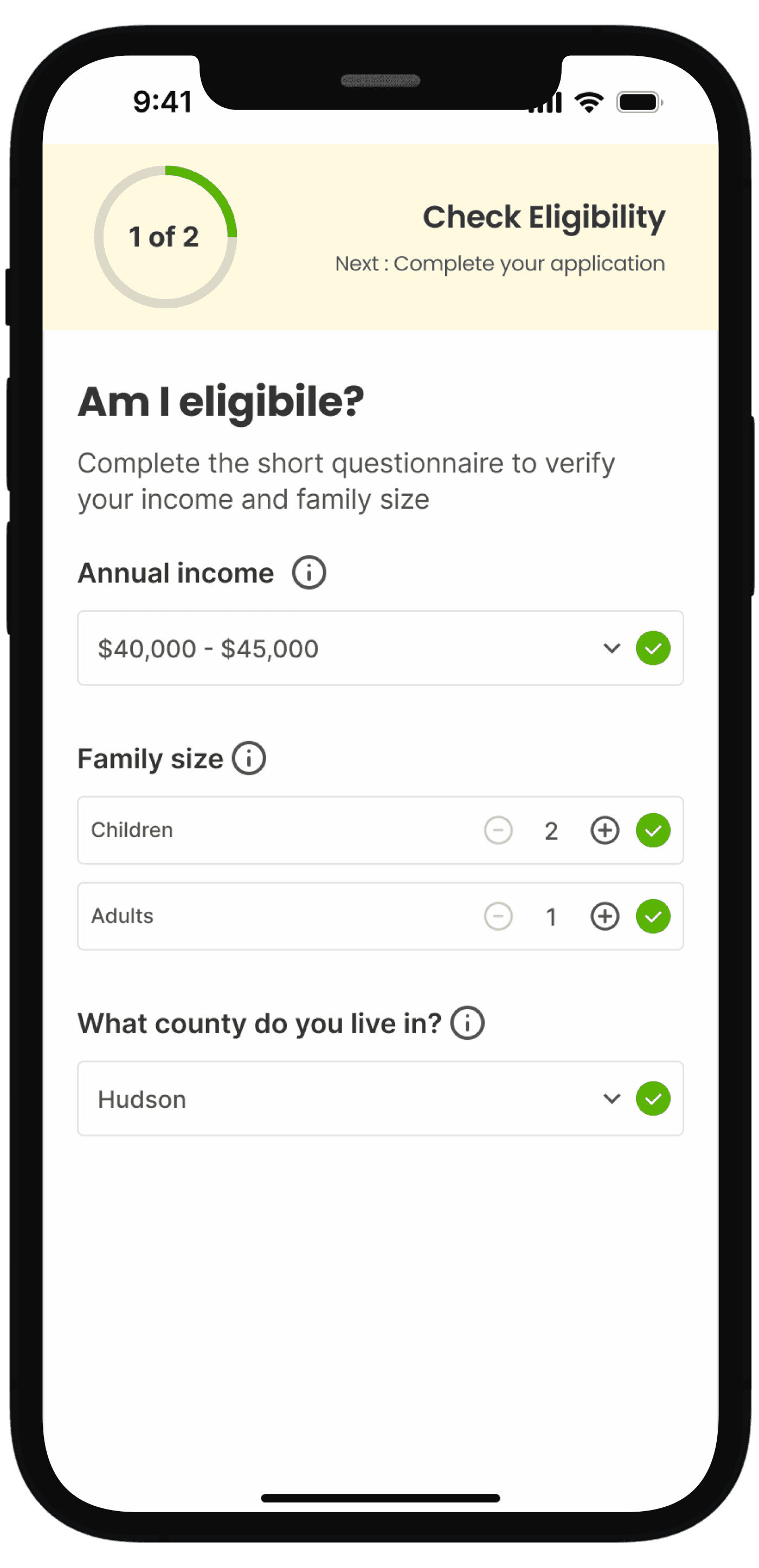
ITERATION 1
Simple, focused and less overwhelming interface
Tooltip can get missed and also increases one click
Not sure about the qualification criteria being validated
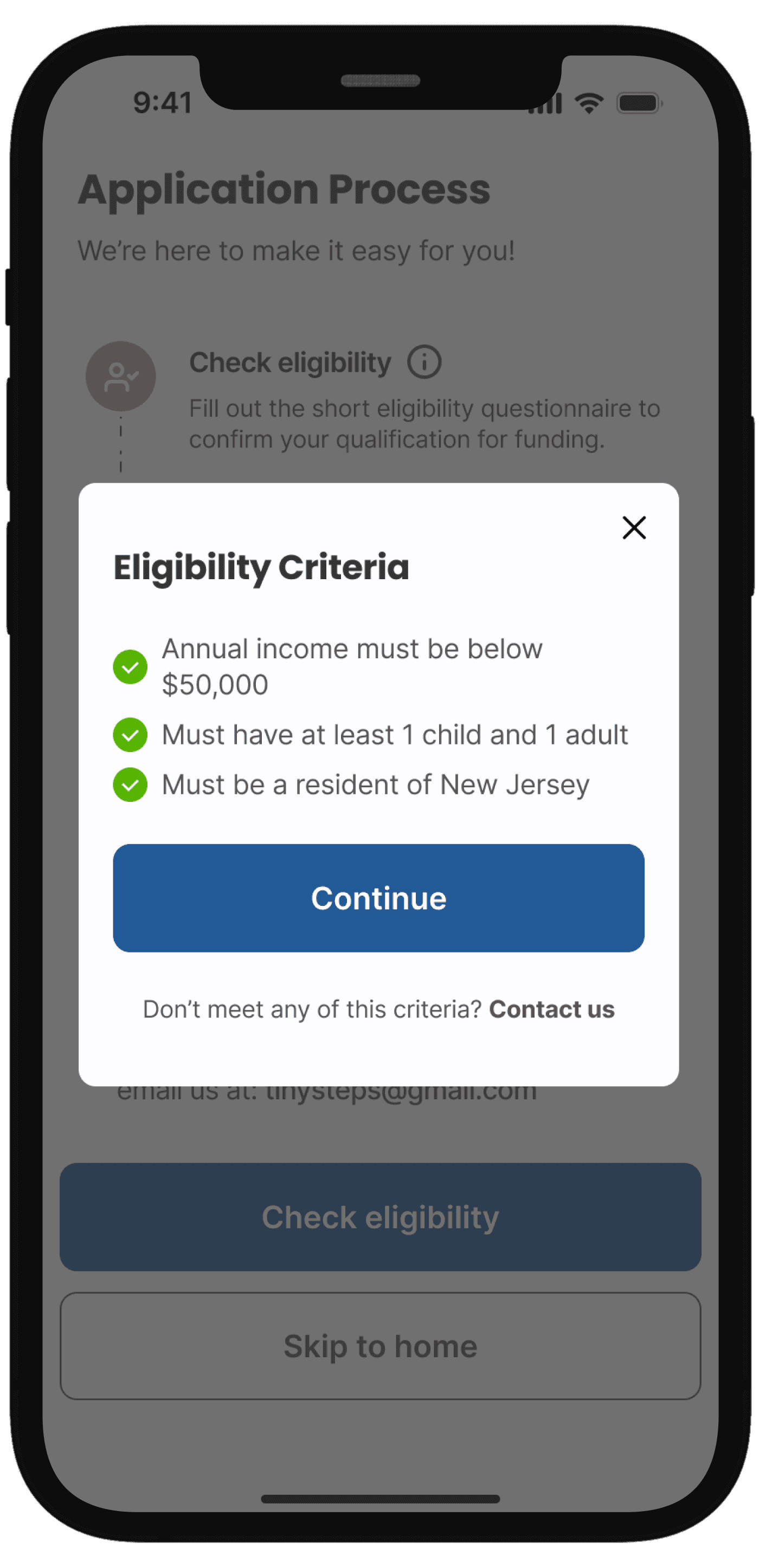
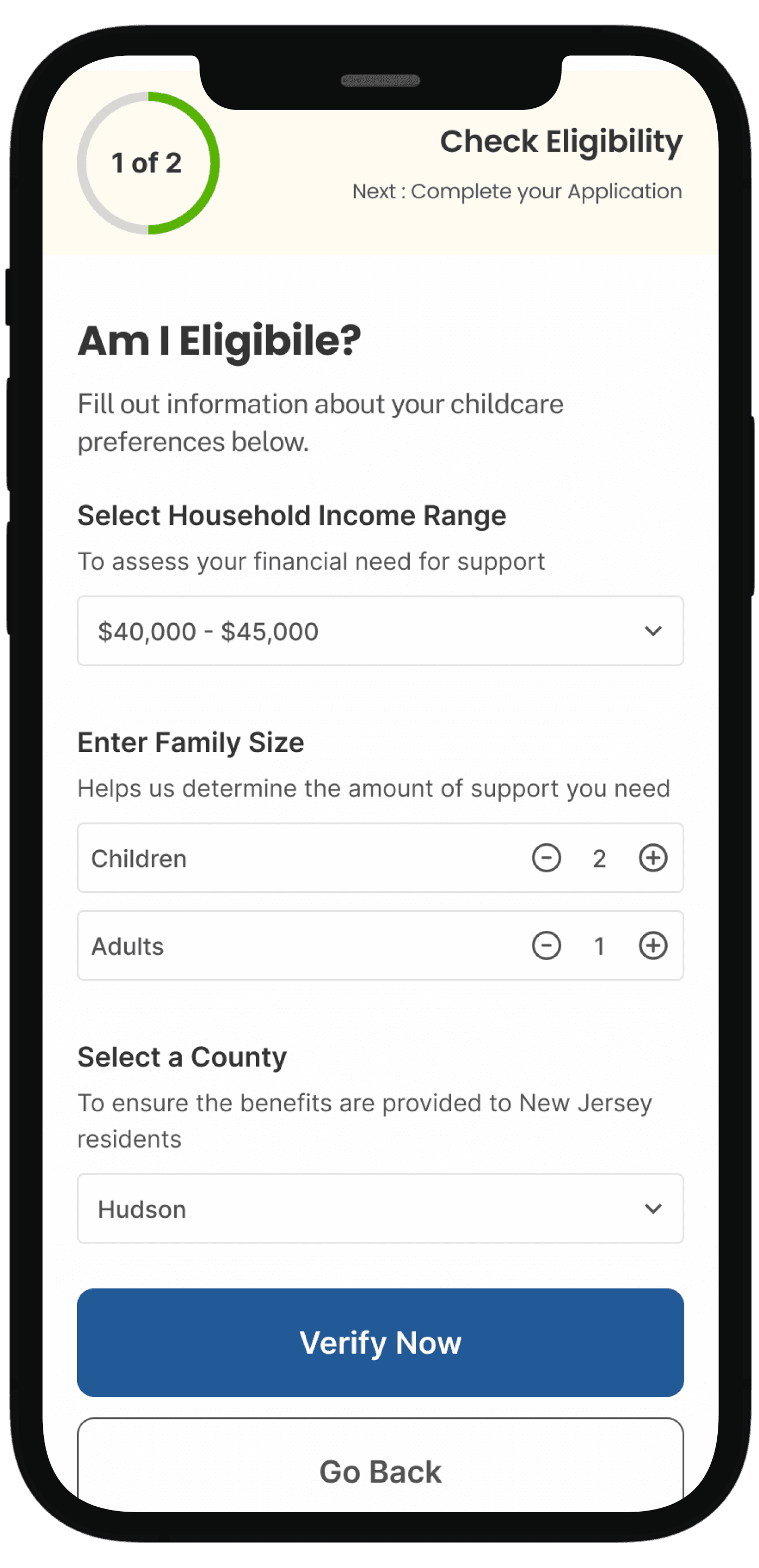
ITERATION 2
Showing qualification criteria before filling the form
Option to contact someone if they need more help
More information about each question
Increases number of clicks and steps
Users had to remember criteria from the preview modal while filling out the form
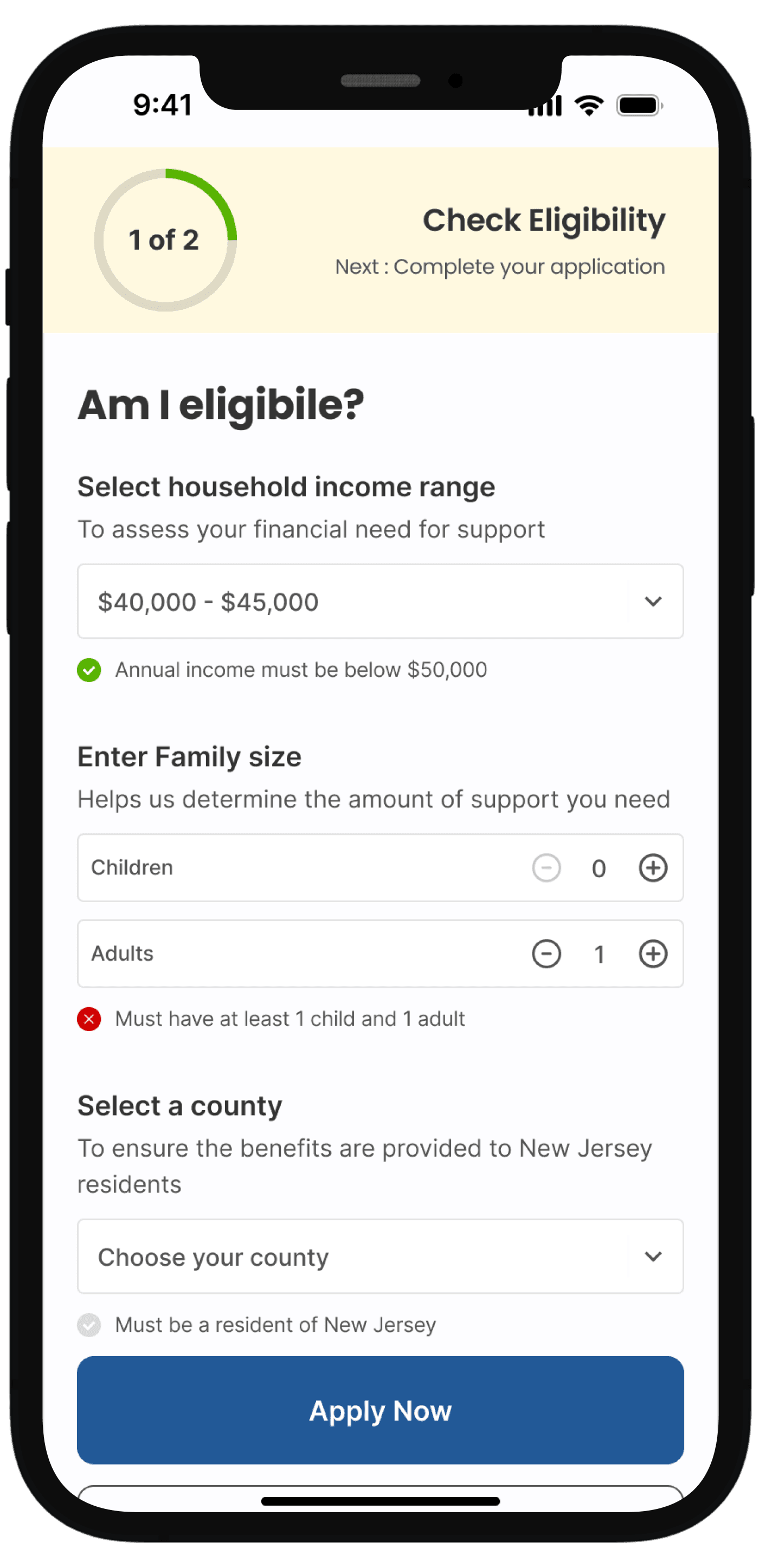
FINAL DESIGN
Showing eligibility criteria below each question to increase transparency
Real-time validation showing green checkmarks when criteria are met
Users didn't have to remember criteria from a previous screen since explanations appeared exactly when questions were asked.
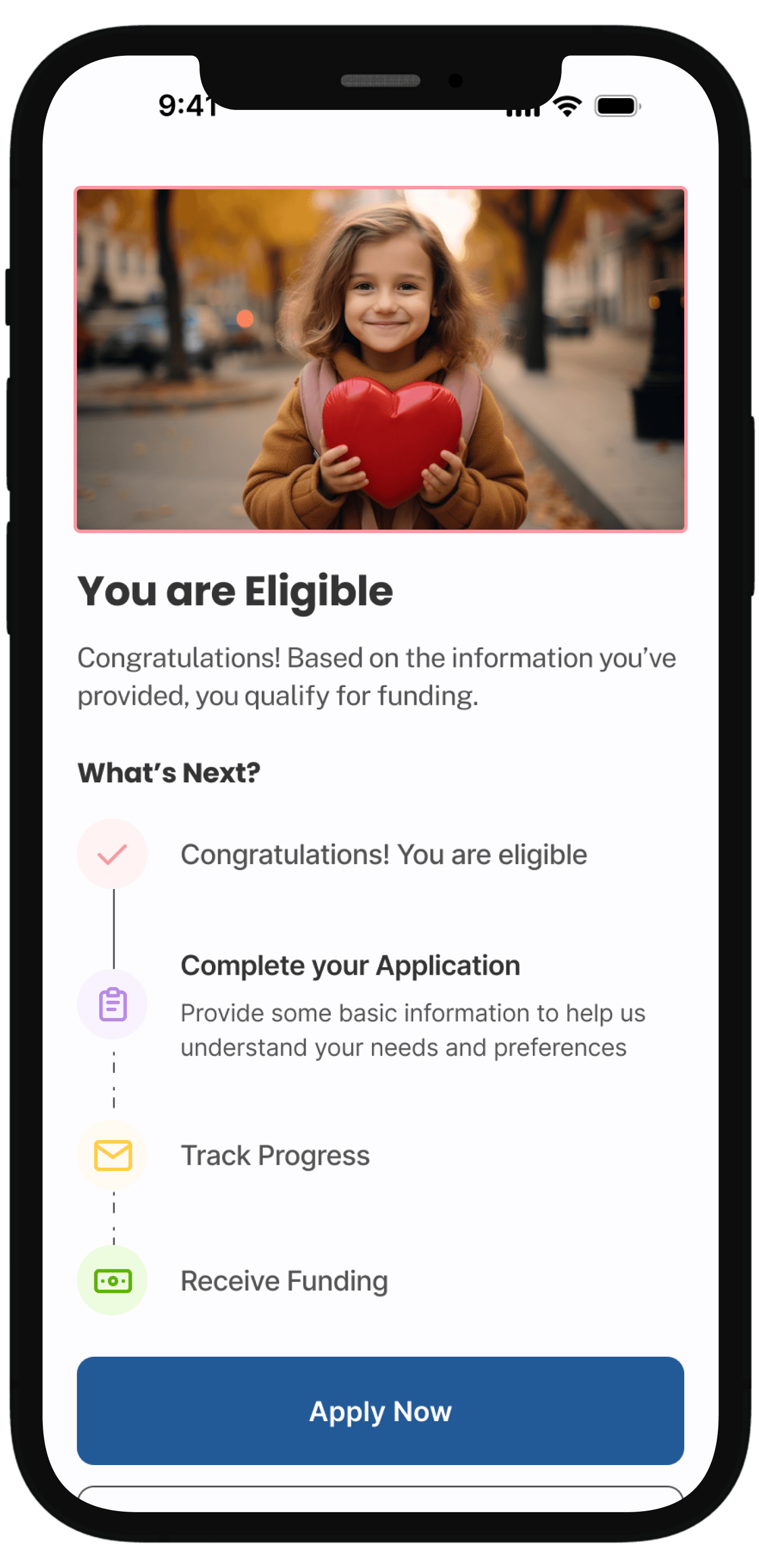
Final eligibility confirmation with clear next steps
GOAL 3
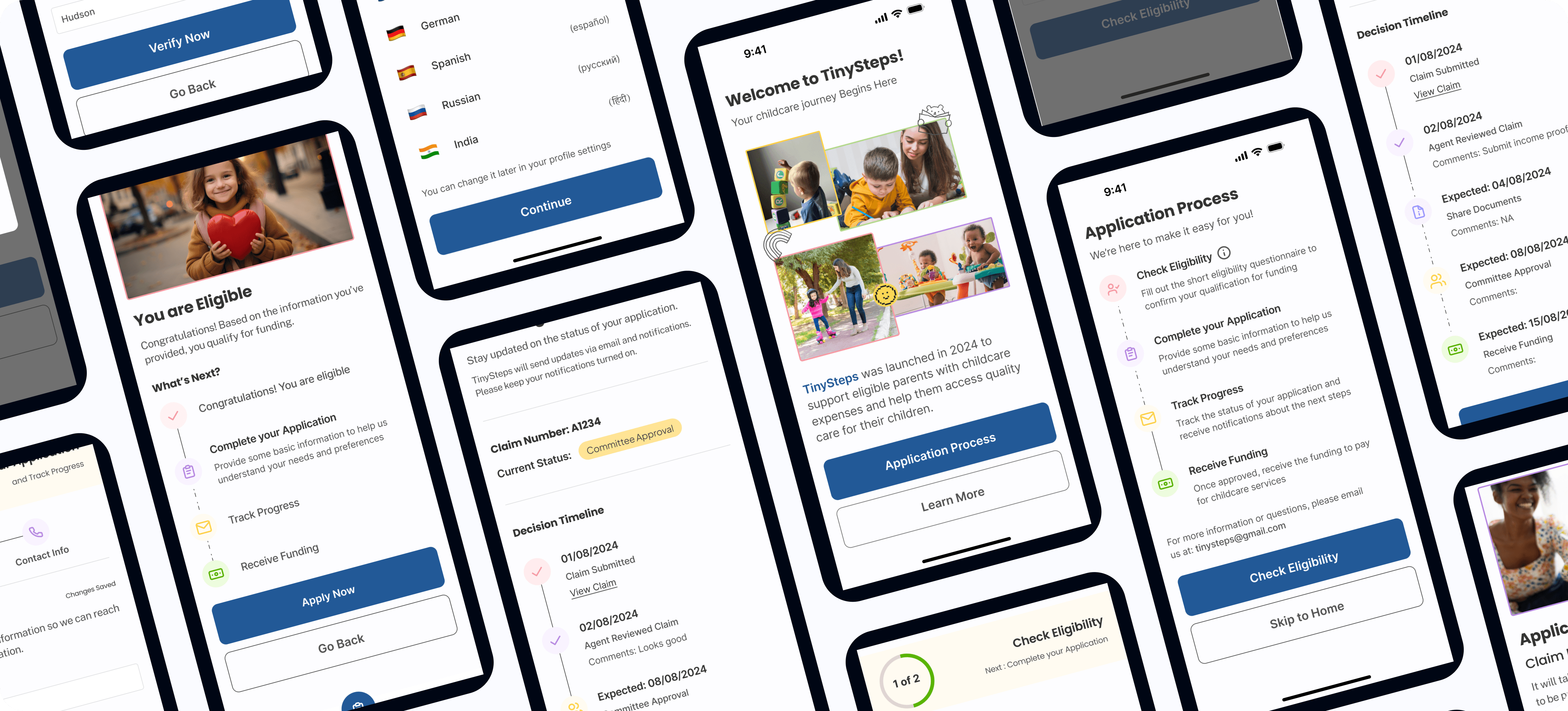
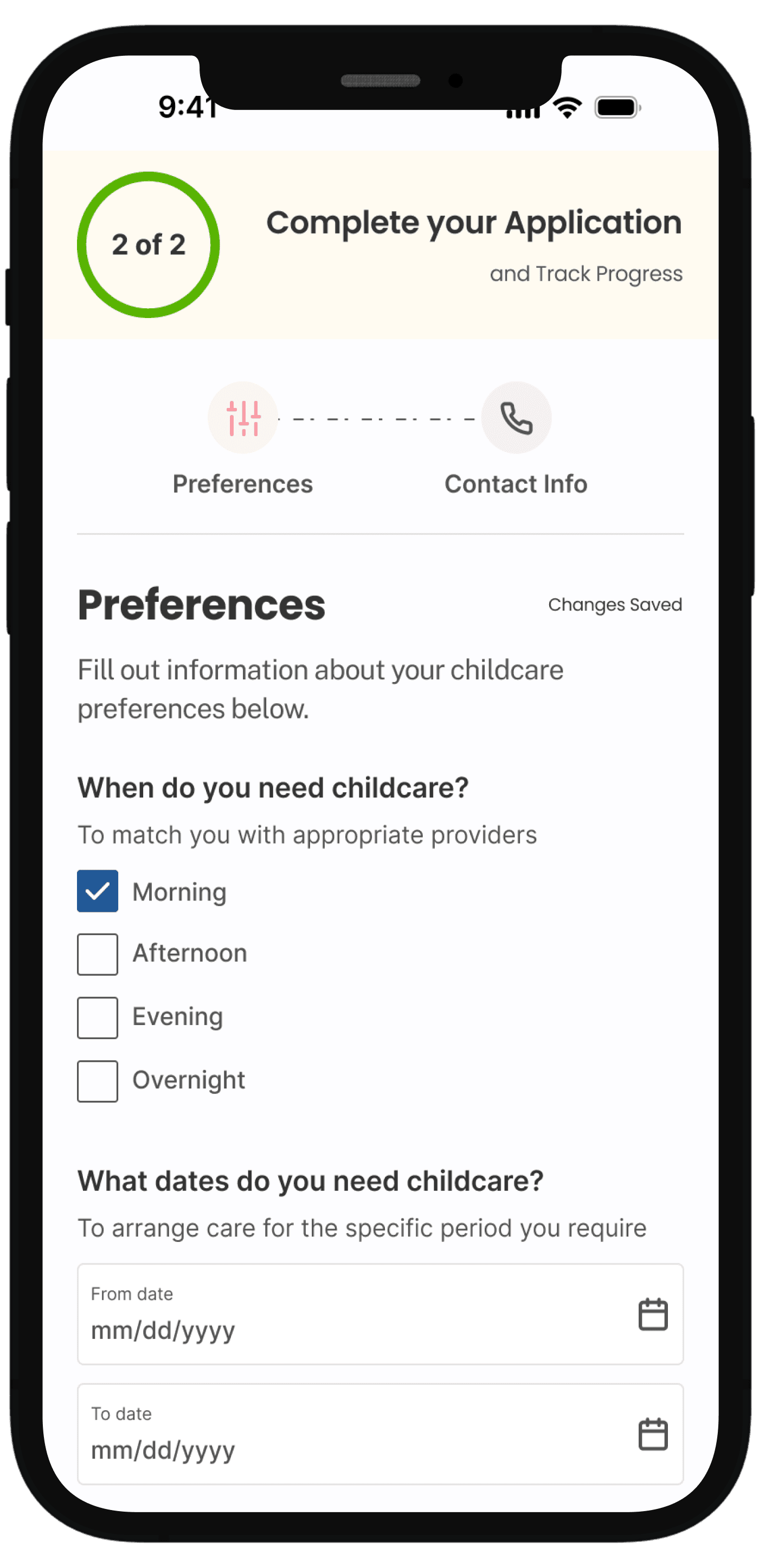
Help parents feel informed and in control throughout the application process by showing clear progress, transparent status updates, and what happens next at every stage.
Added circular progress indicator (2 of 2) at the top of each screen showing completion status, with tab navigation between sections (Preferences and Contact Info).
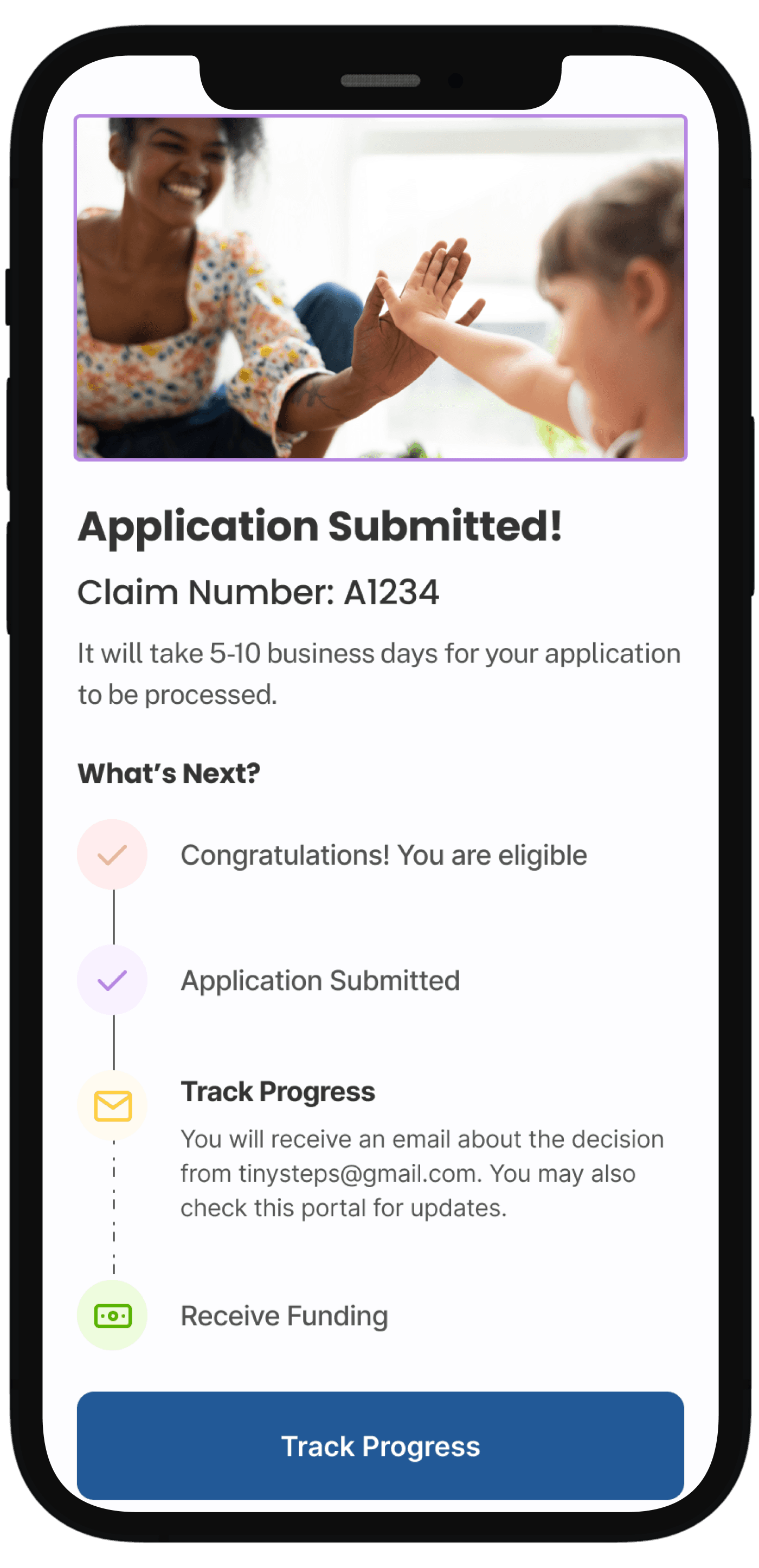
Visual timeline with checkmarks and future steps eliminated the "Now what?" confusion.
"Track Progress" button provided immediate next action
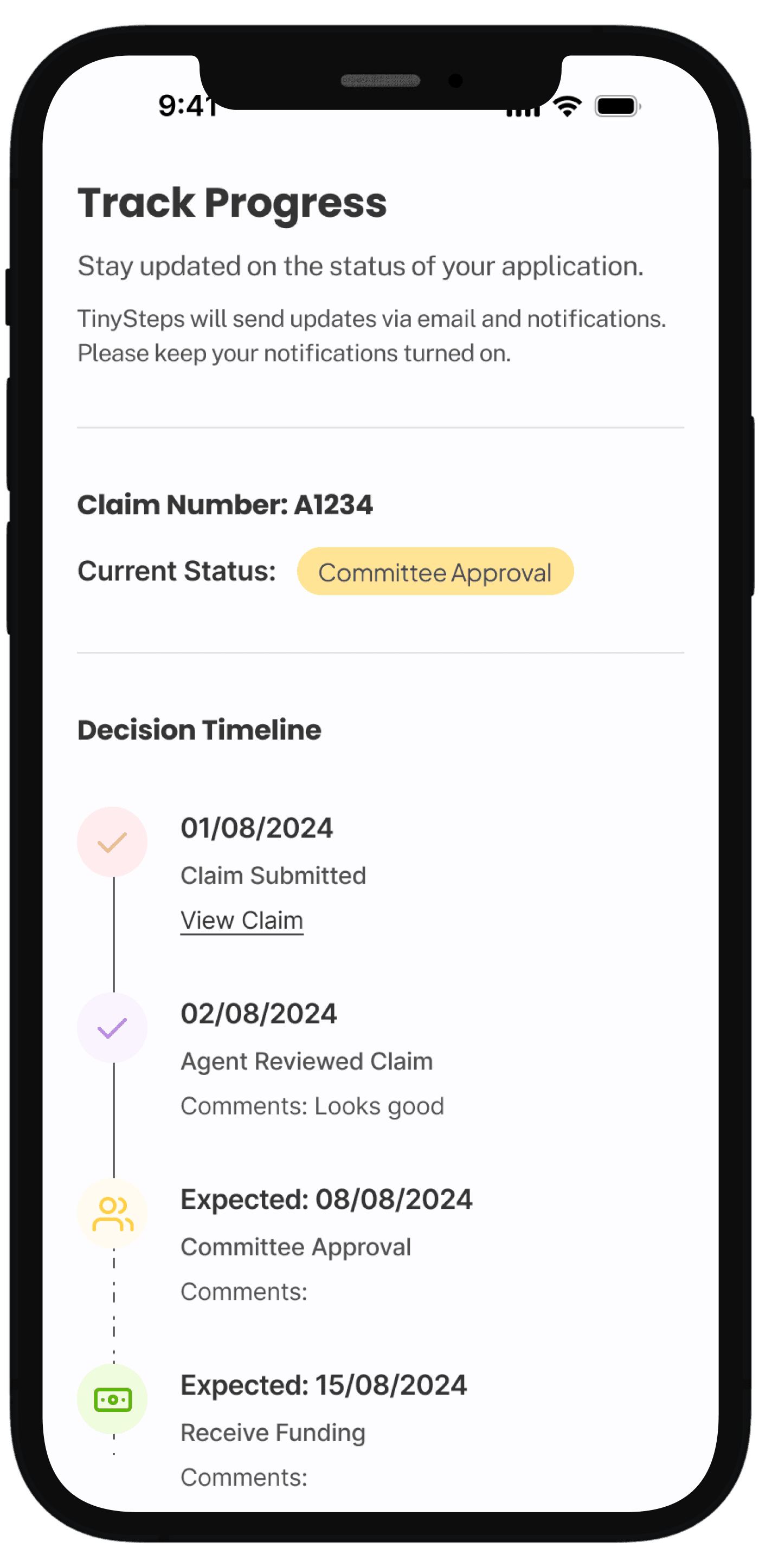
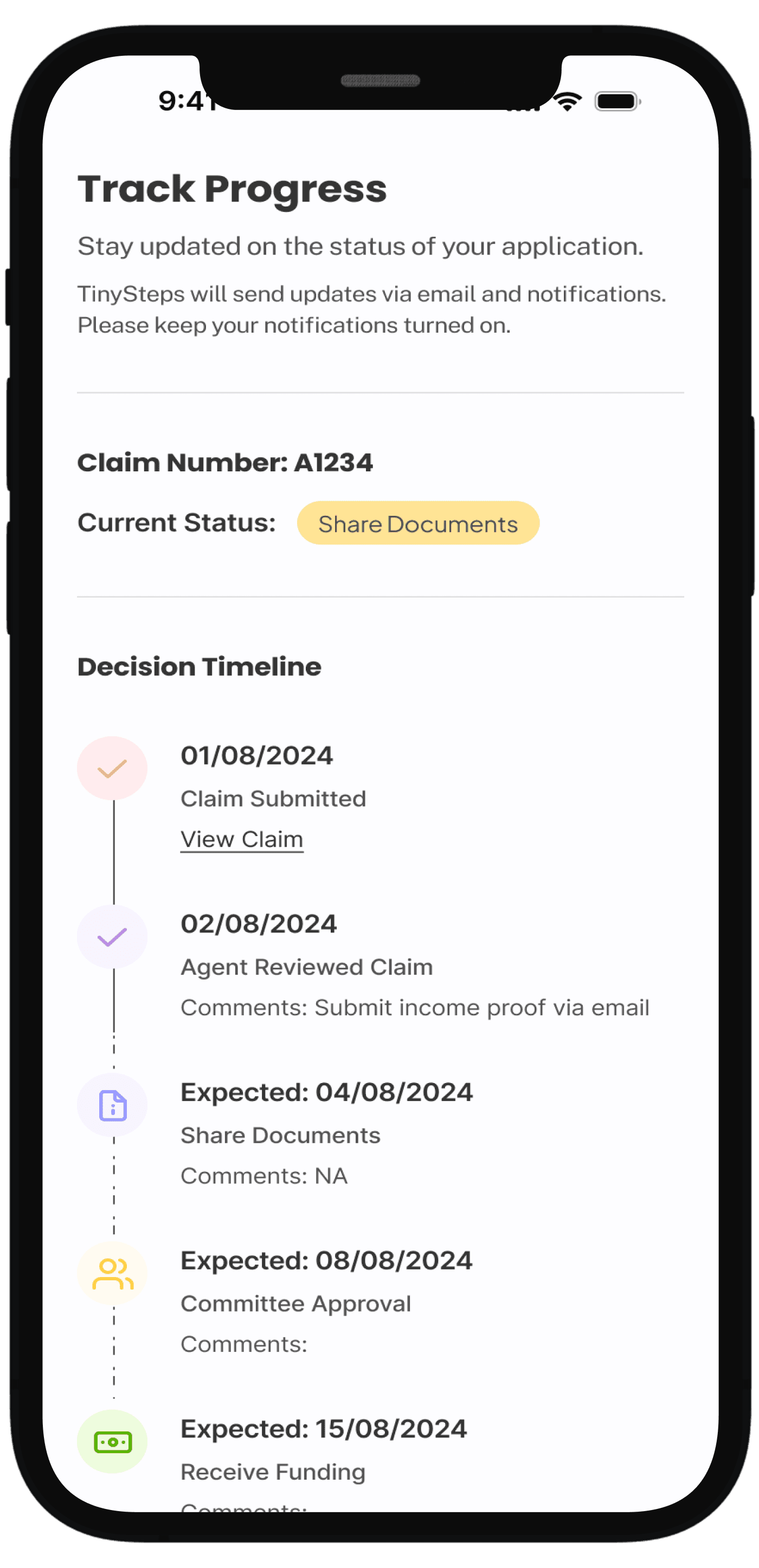
Showed complete journey from submission to funding with specific dates:
Show comments added in each review along with additional steps or documents required
Added specific expected dates for each milestone so parents could plan ahead
ACCESSIBILITY
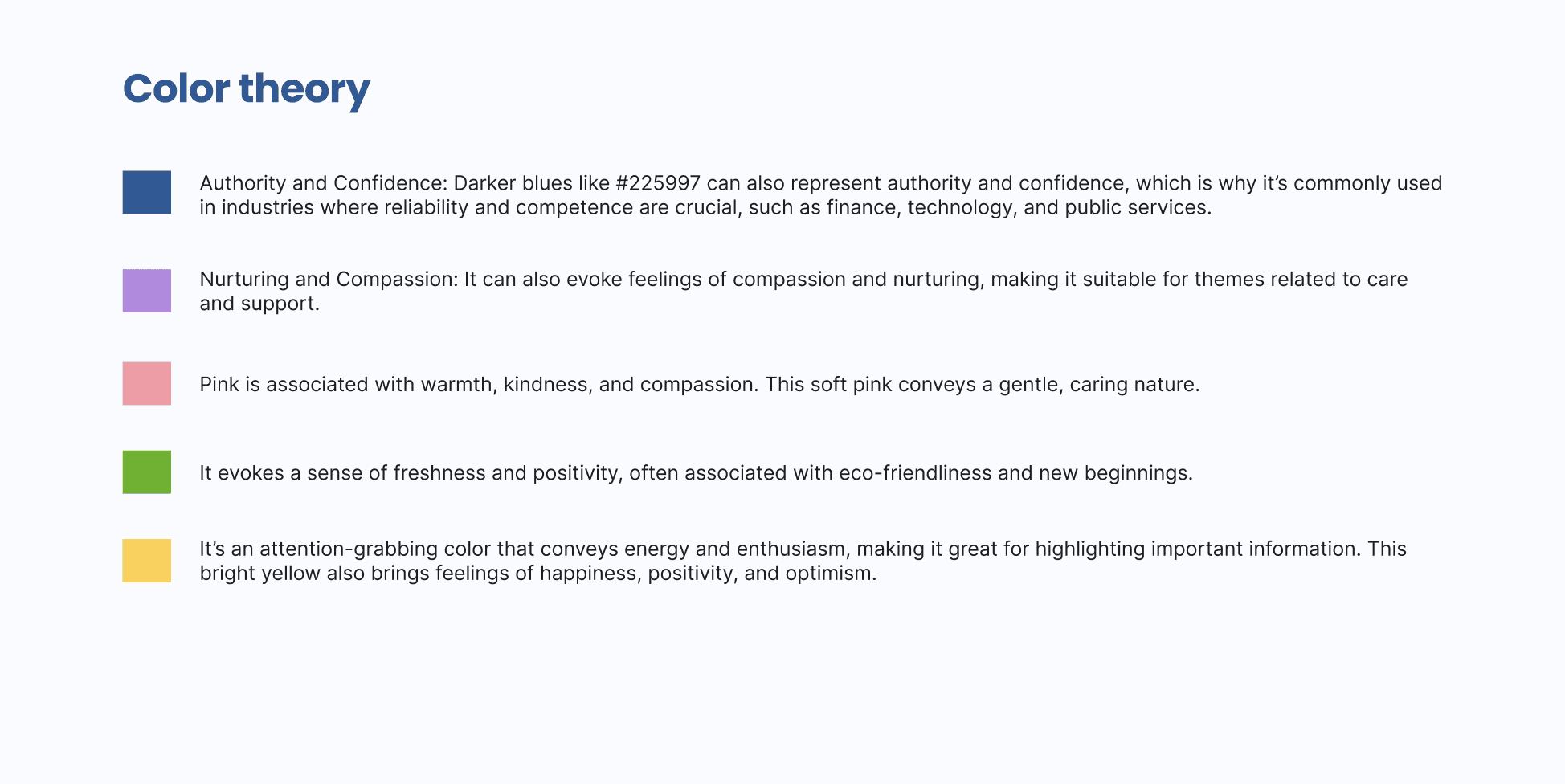
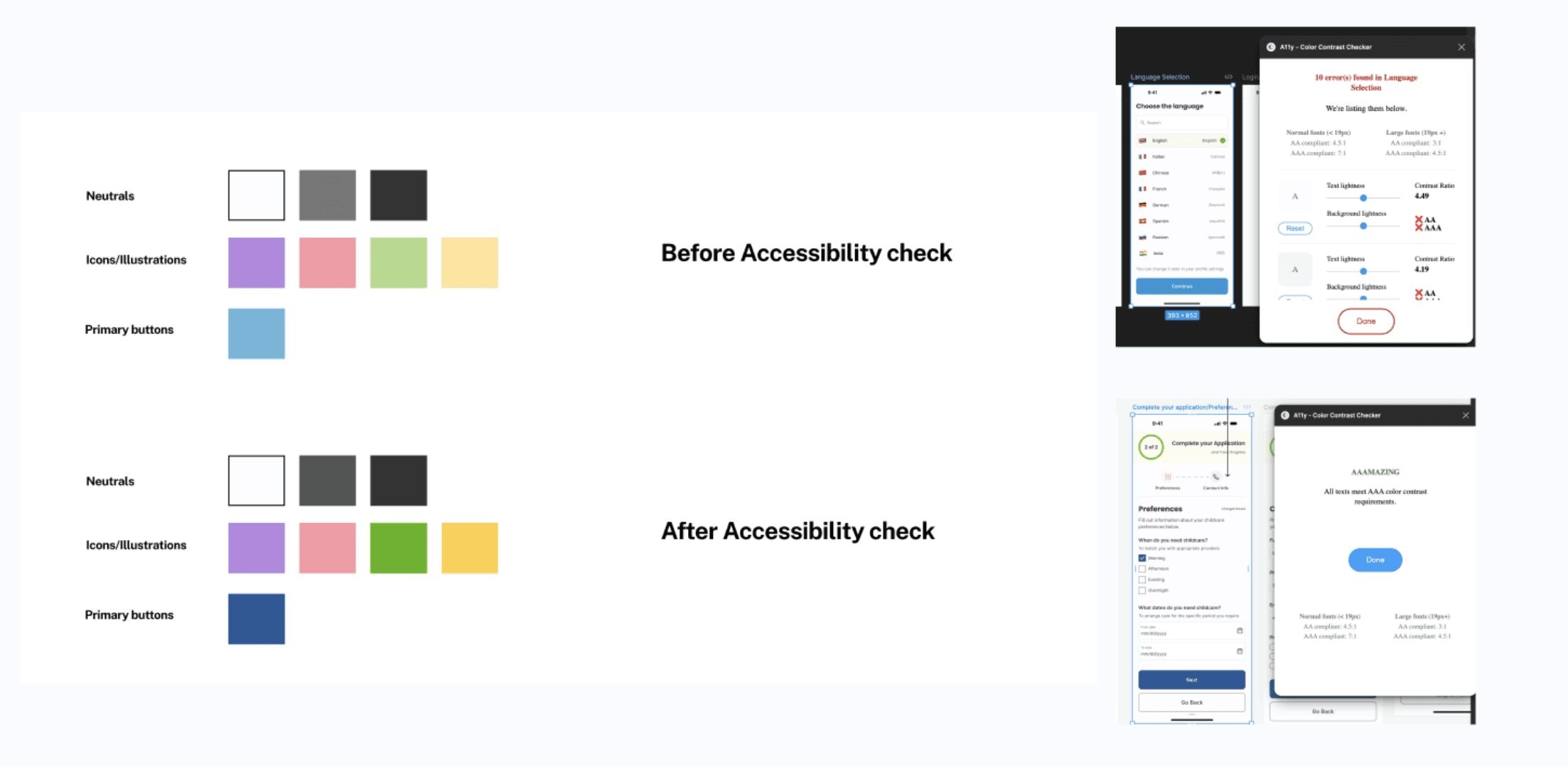
My rationale behind the color choices